Server settings - Change vps password
2 Minutes read

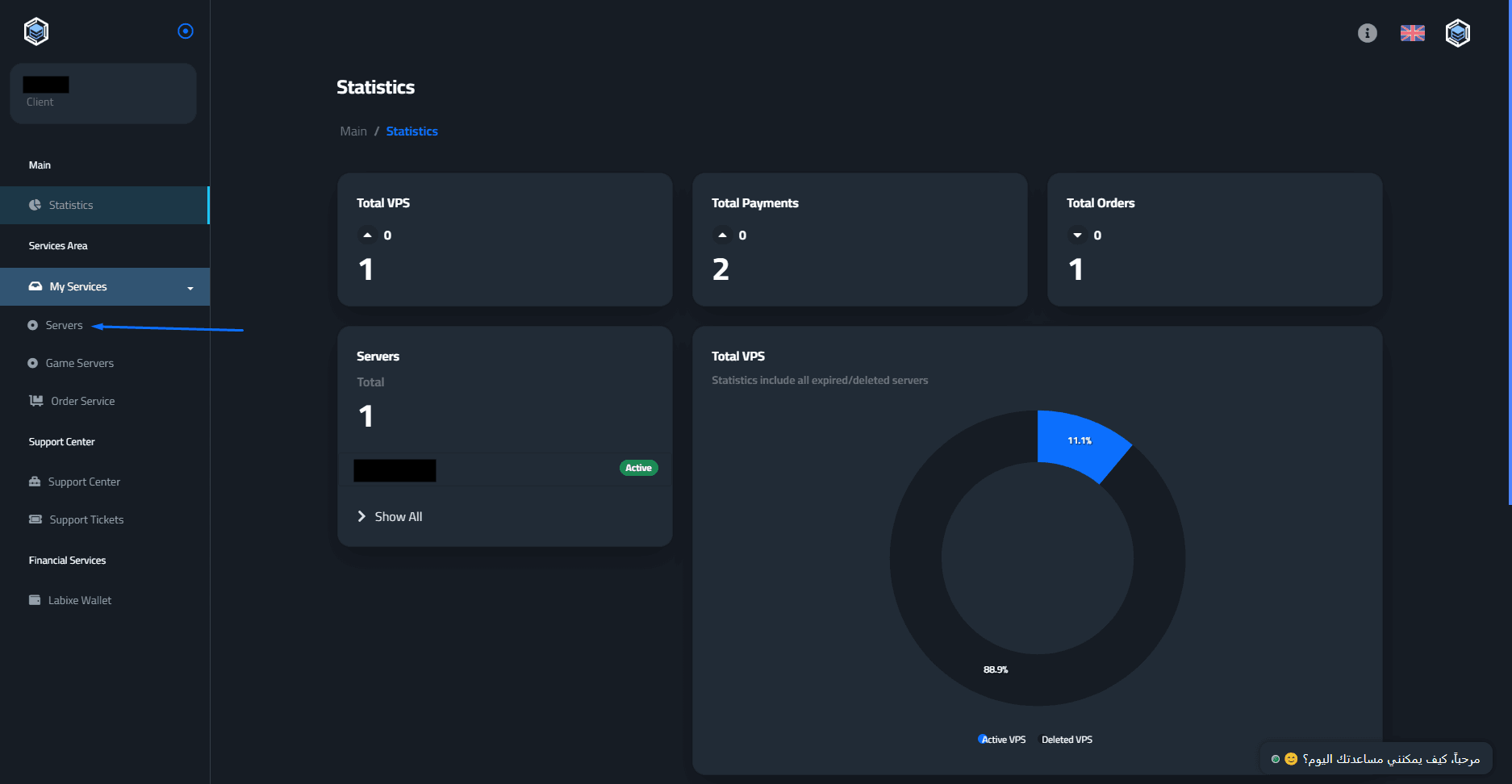
Start by going to the control panel "Here" - Then click on "My Services" then "Servers"
After that, Click on the "Open" icon on the right side to enter the VPS's control panel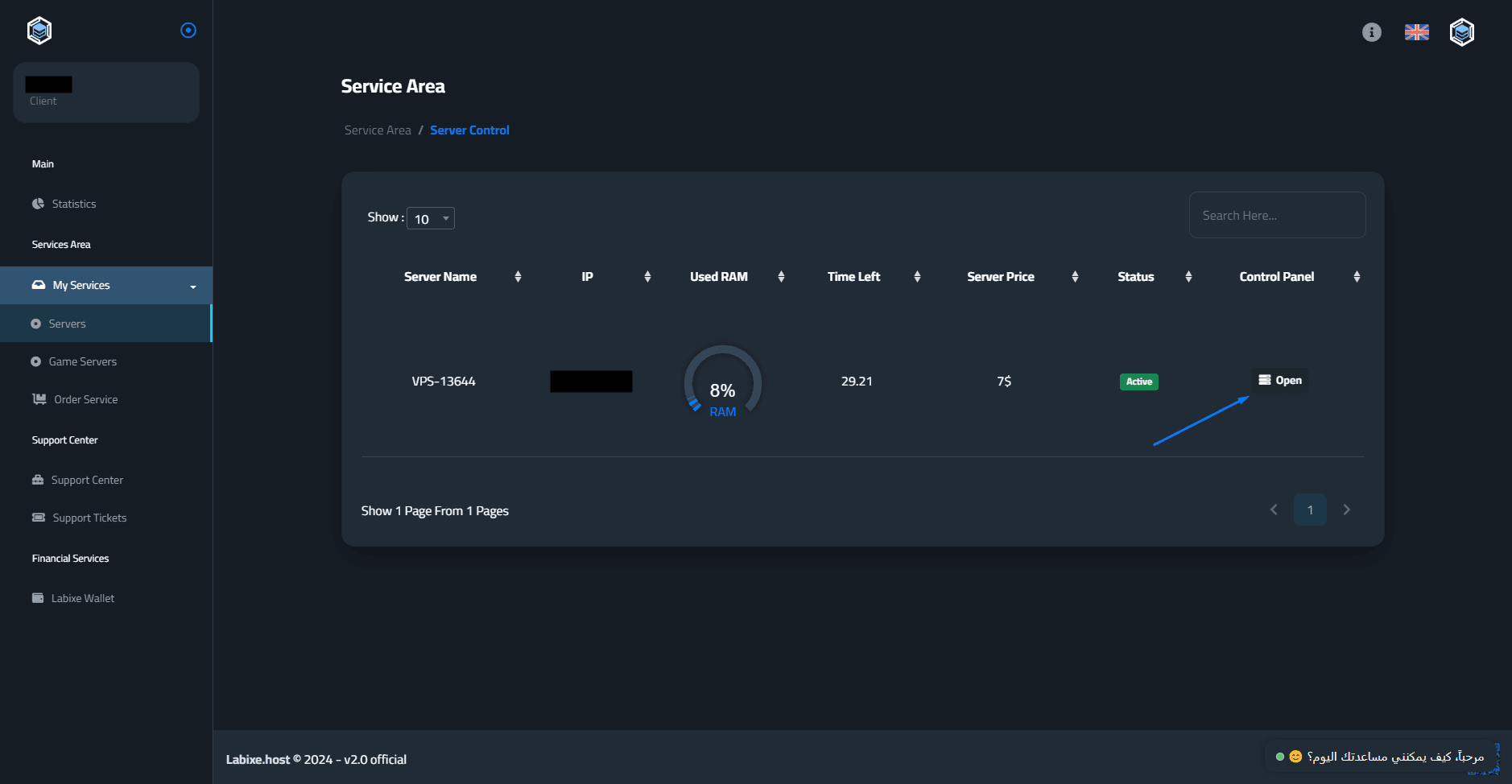
Then click on the "Additional settings" button.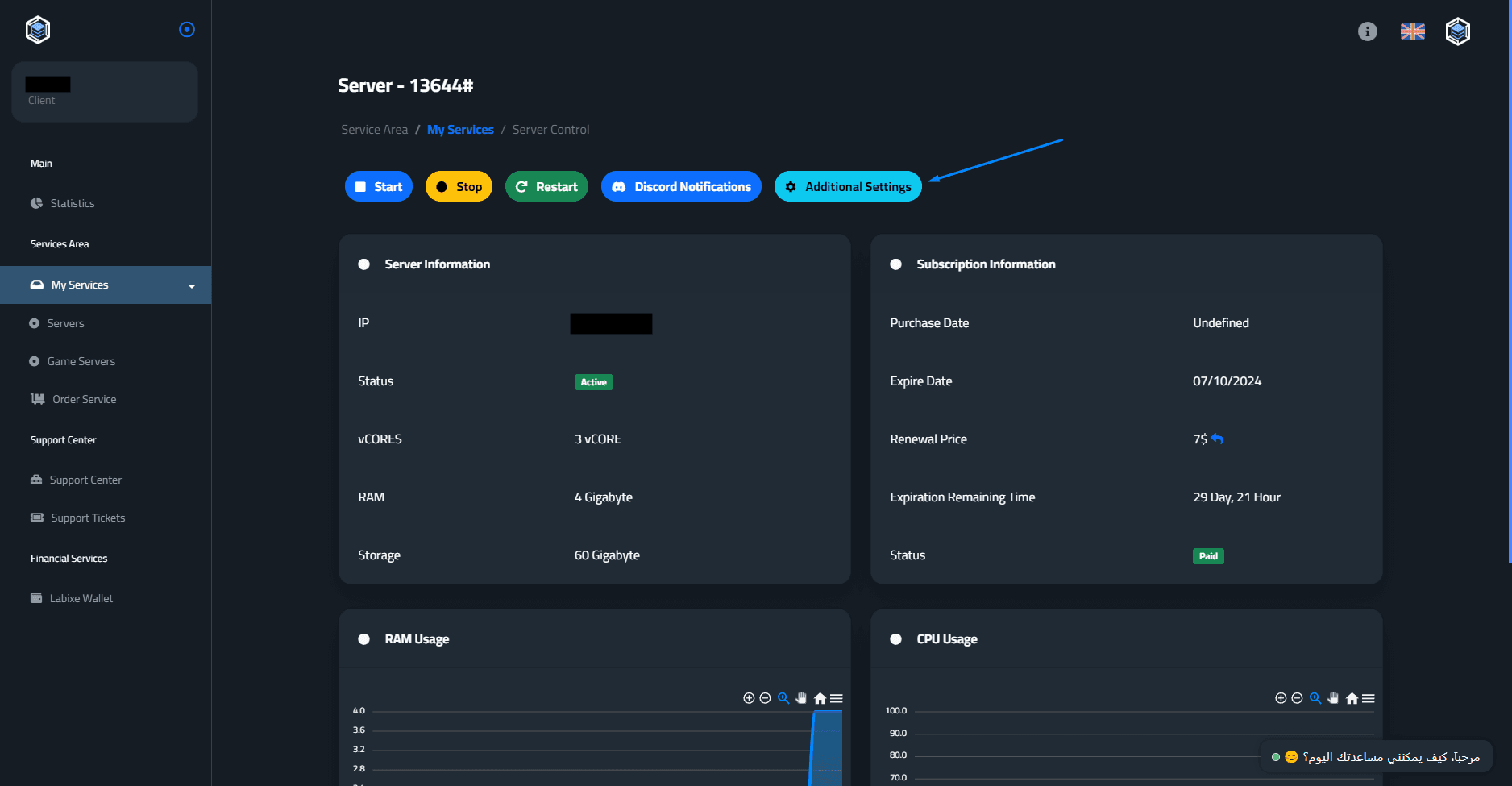
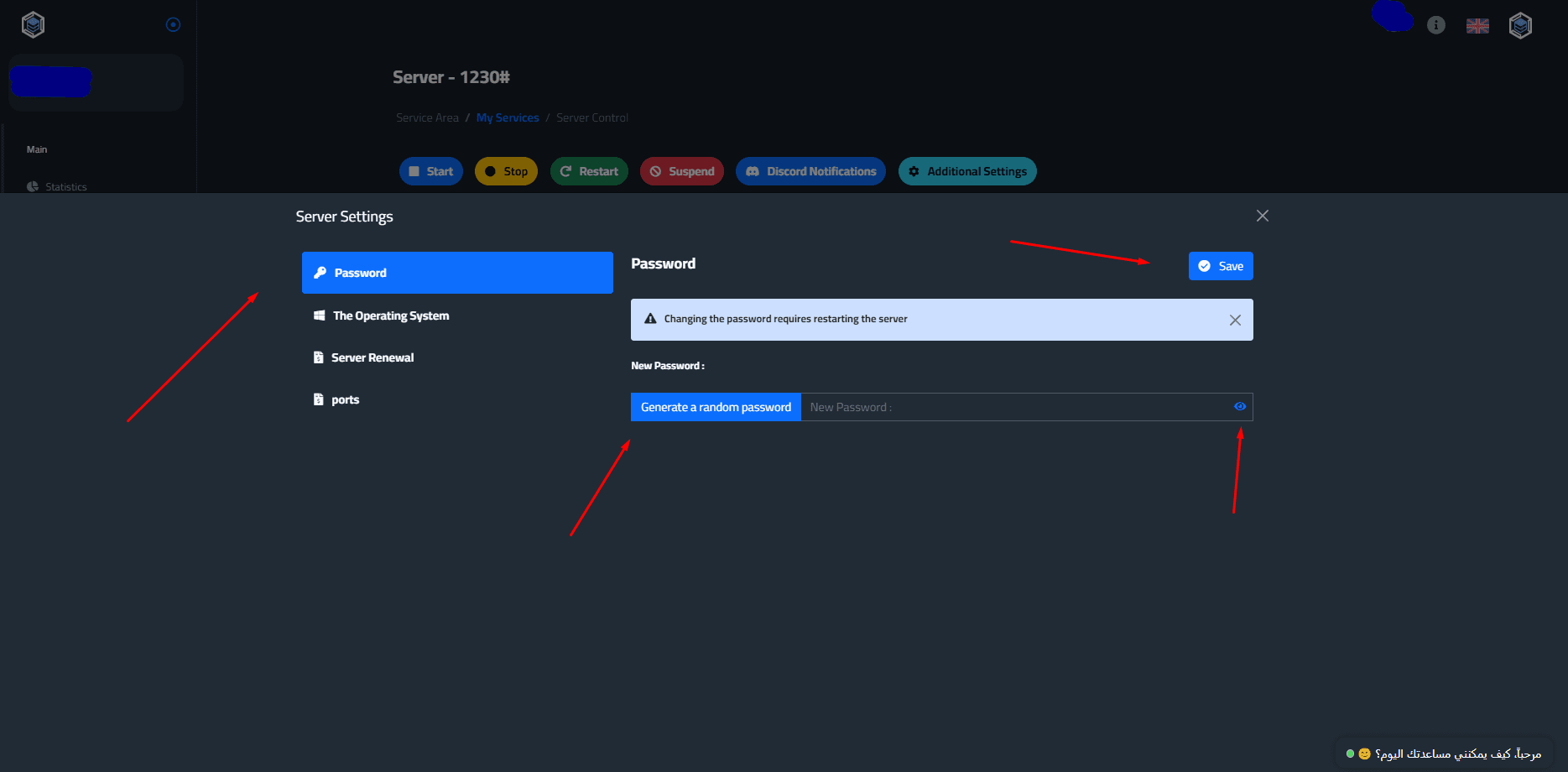
This page will pop up, from the "Password" section, you can click on "Generate a random password" (recommended), Then click on the Eye 👁 icon to veiw the password and copy it, then click on the "Save" button to confirm the change.
Important : A restart will automatically occur when saving the changes.
If you encounter any problem, do not hesitate to contact us from here - the Labixe Host team salutes you.