Server Settings - Server Renewal
5 Minutes read

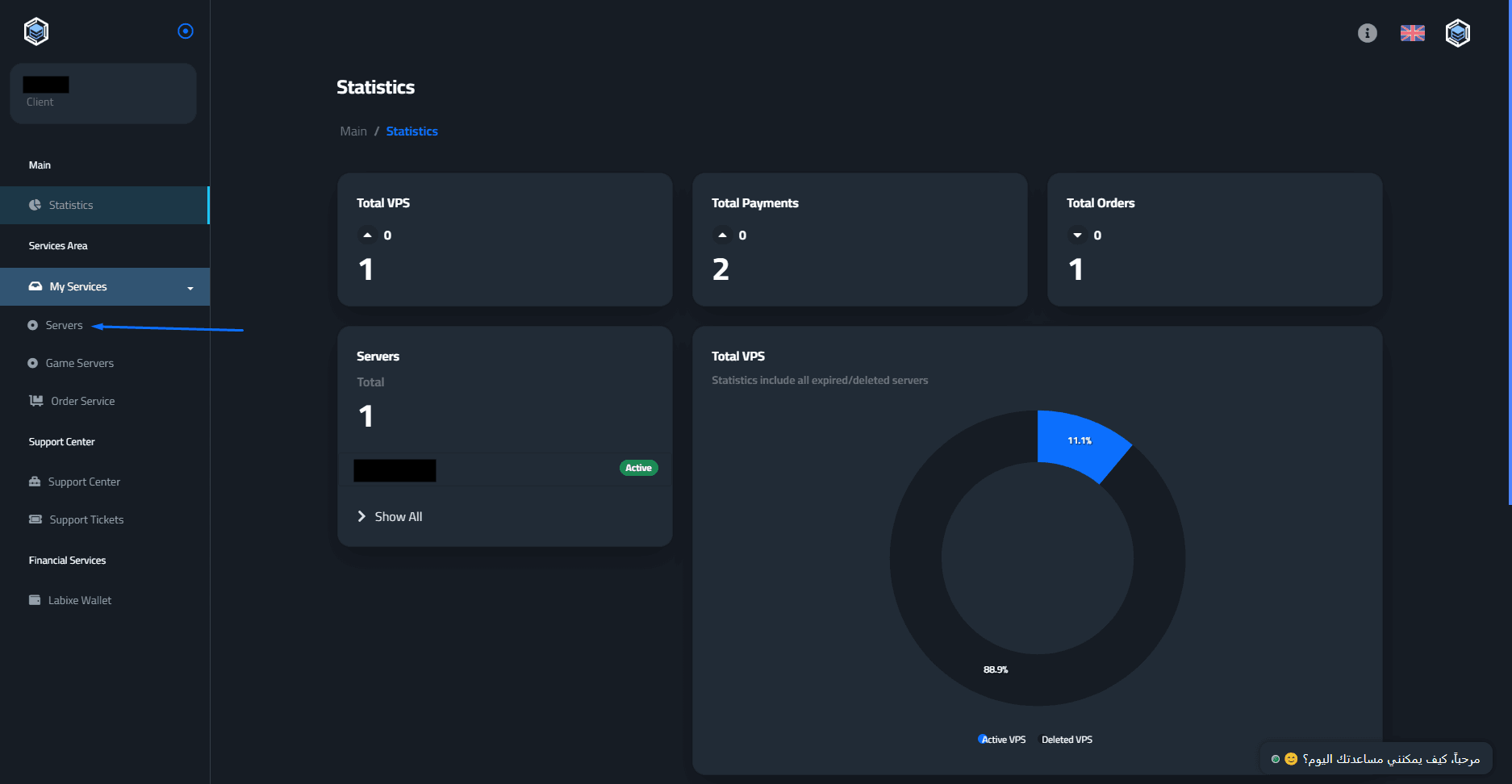
Start by logging into the control panel: from here - then click on “Servers”.
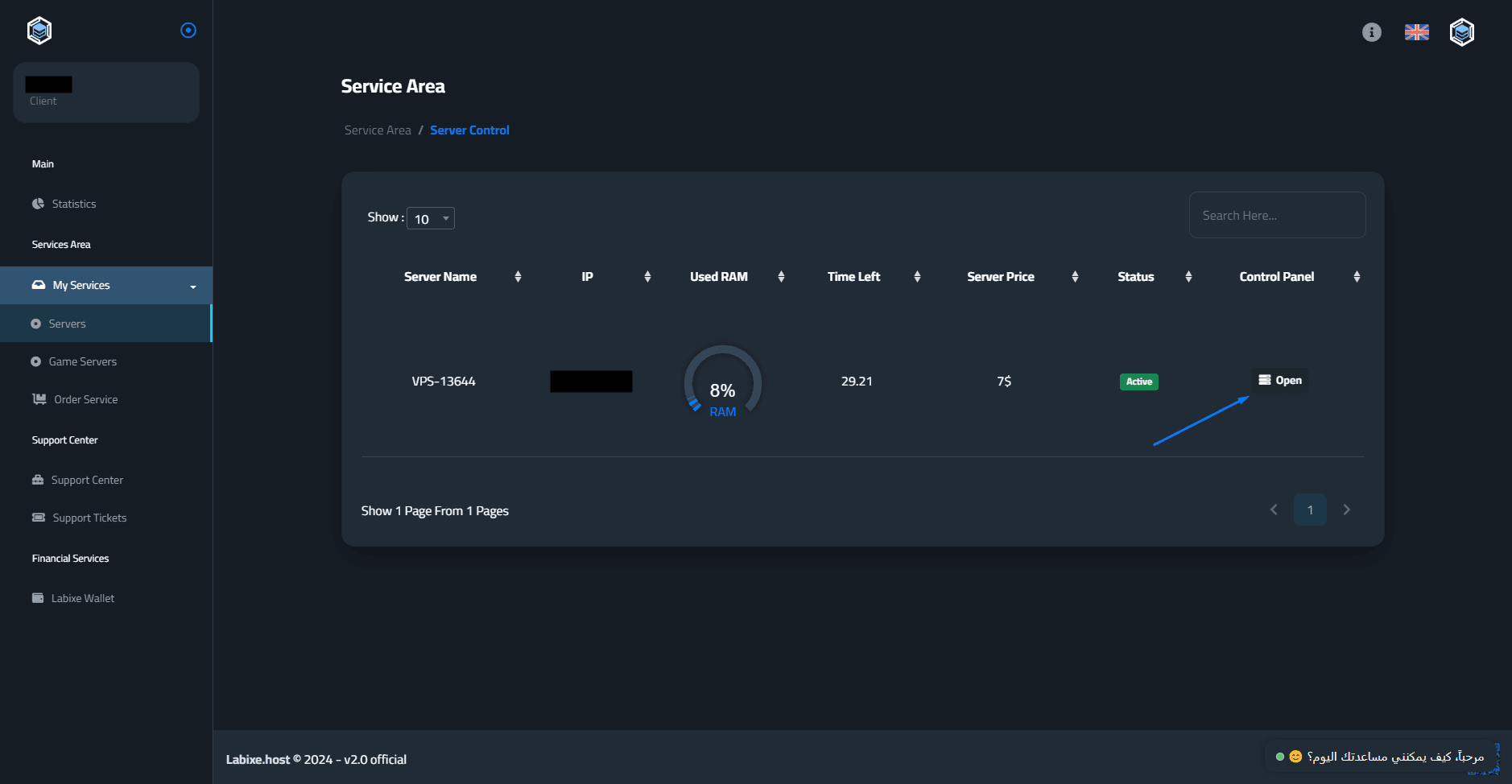
Click the “Open” icon in the control panel to enter the settings for that specific server.
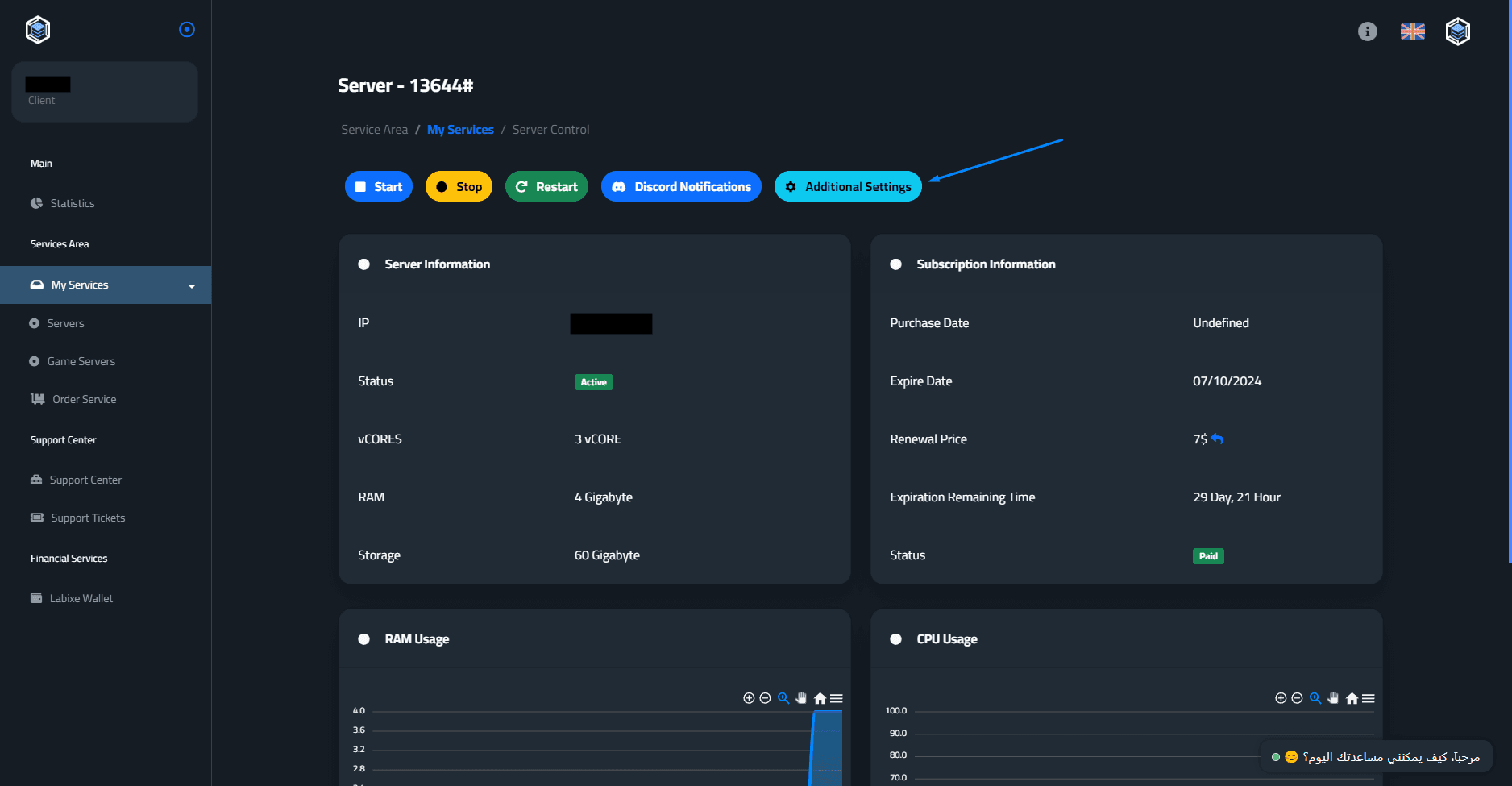
Click on the “Additional Settings” button.
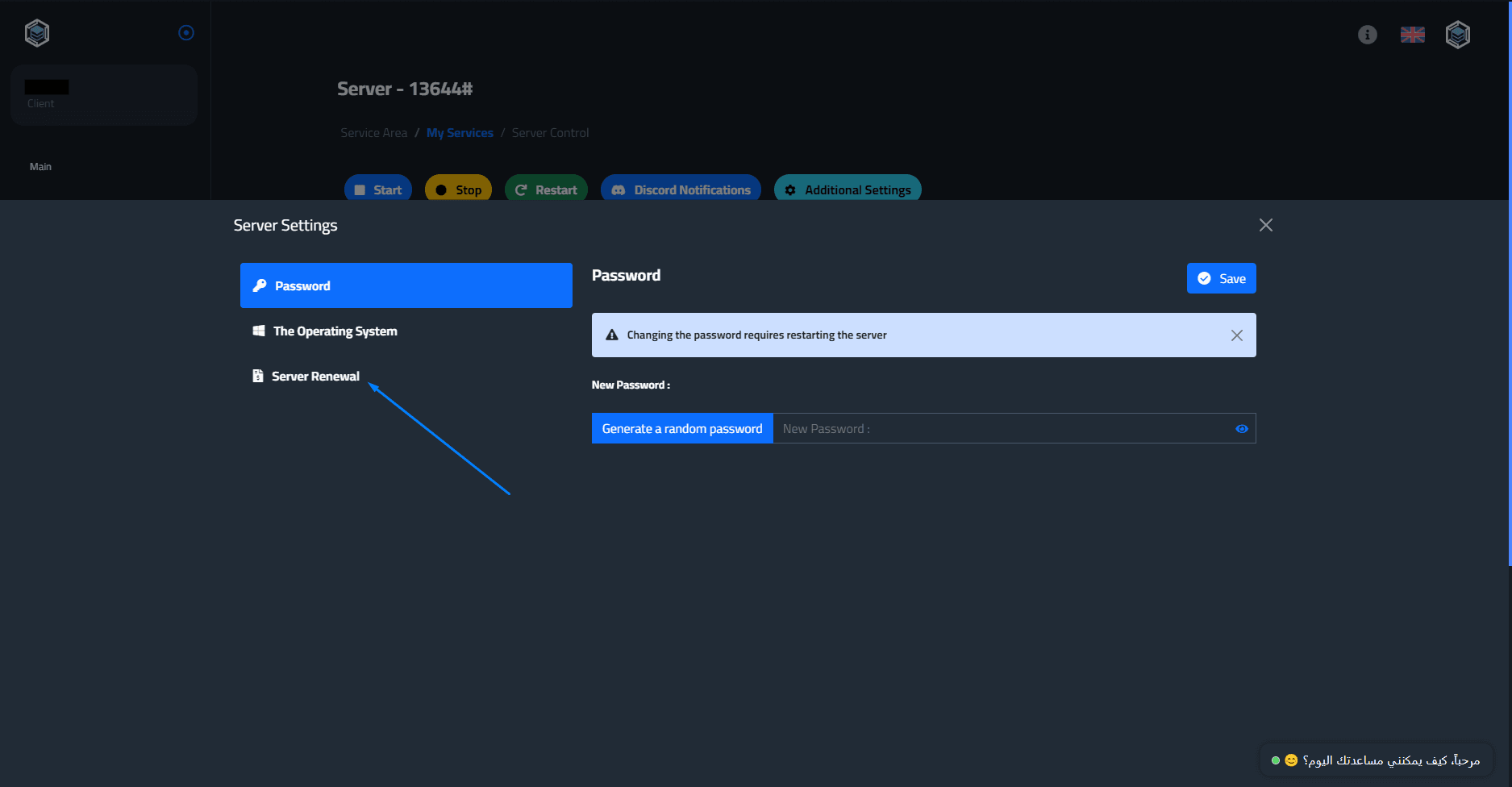
Then go to “Server Renewal”.
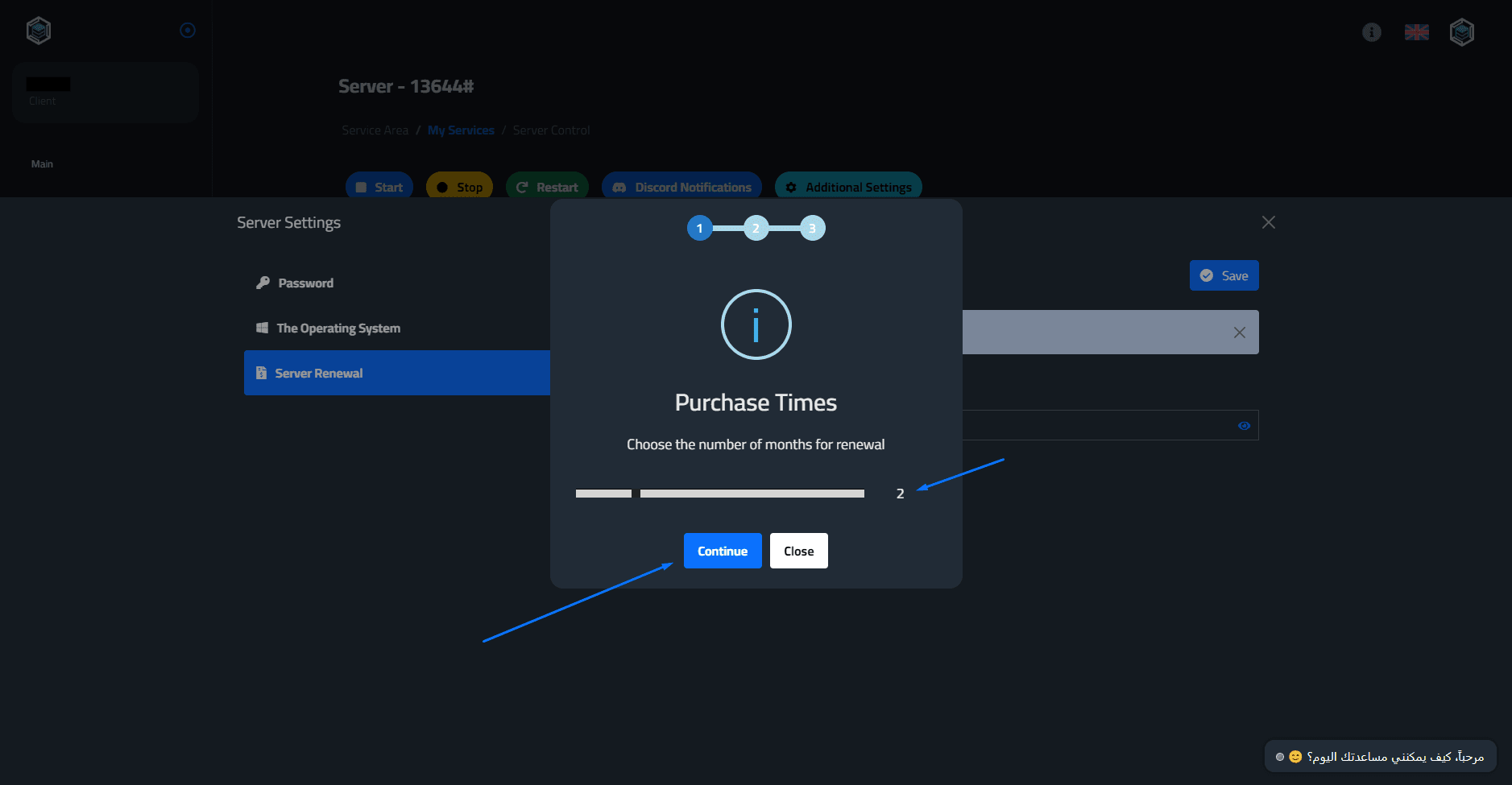
Here you will choose the number of renewal months, then click “Continue”.
Here you will enter a discount code if you have one and click “Continue” to complete the renewal process.
Note* You can follow the latest offers and discounts by logging into our server on Discord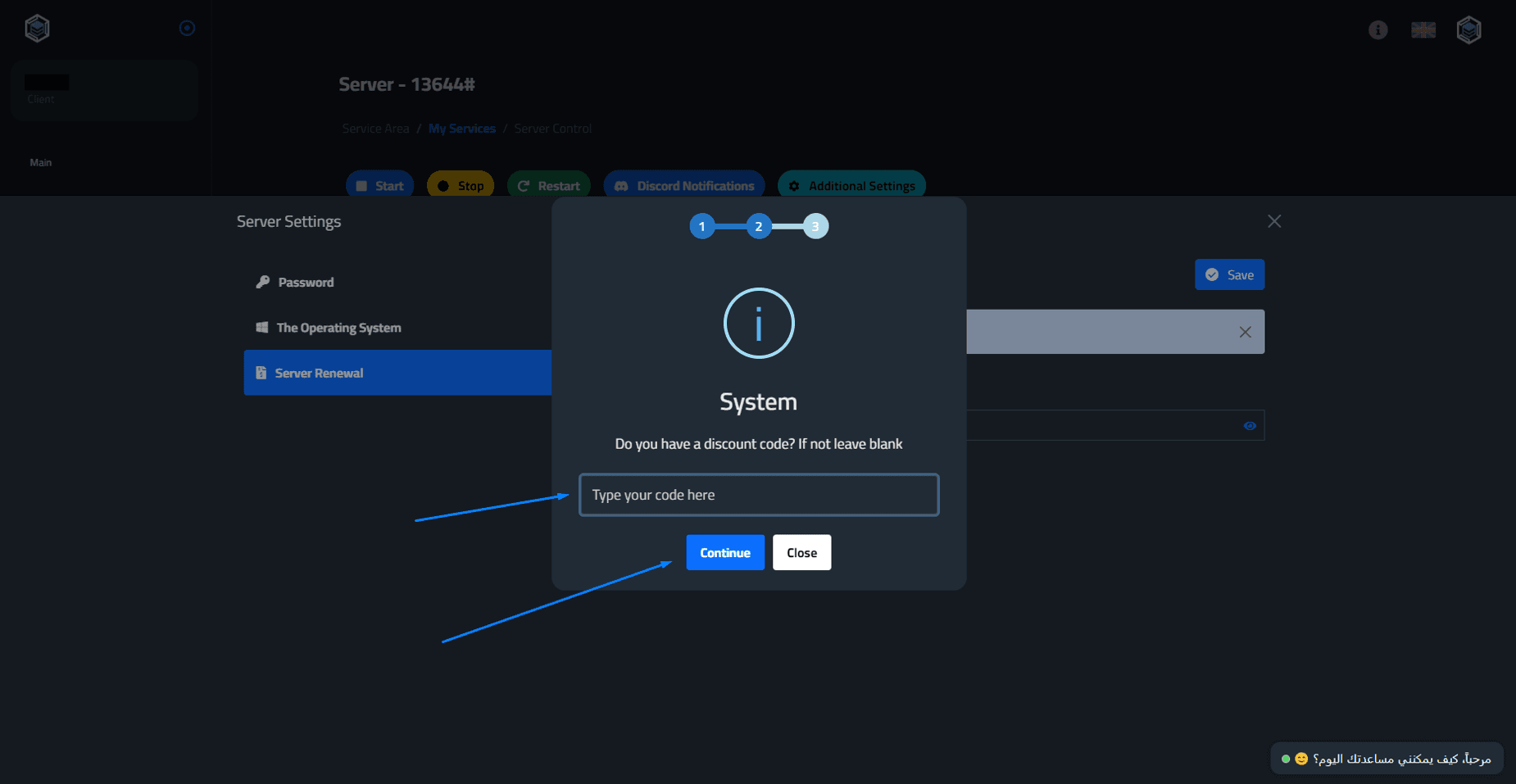
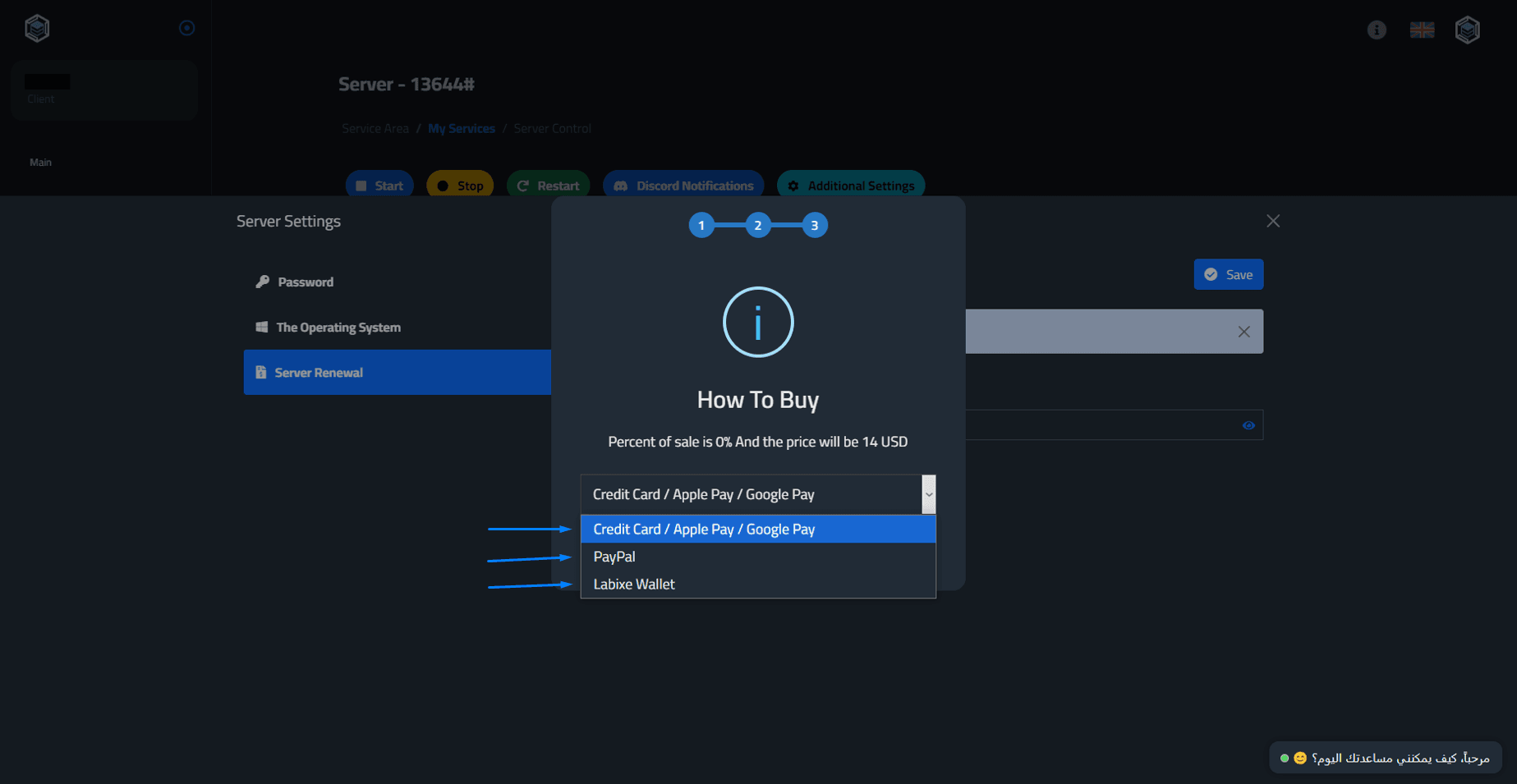
Here you will select your payment method [Credit Card - Apple Pay - Google Pay - PayPal]
You can also use your balance in the Labixe Wallet.
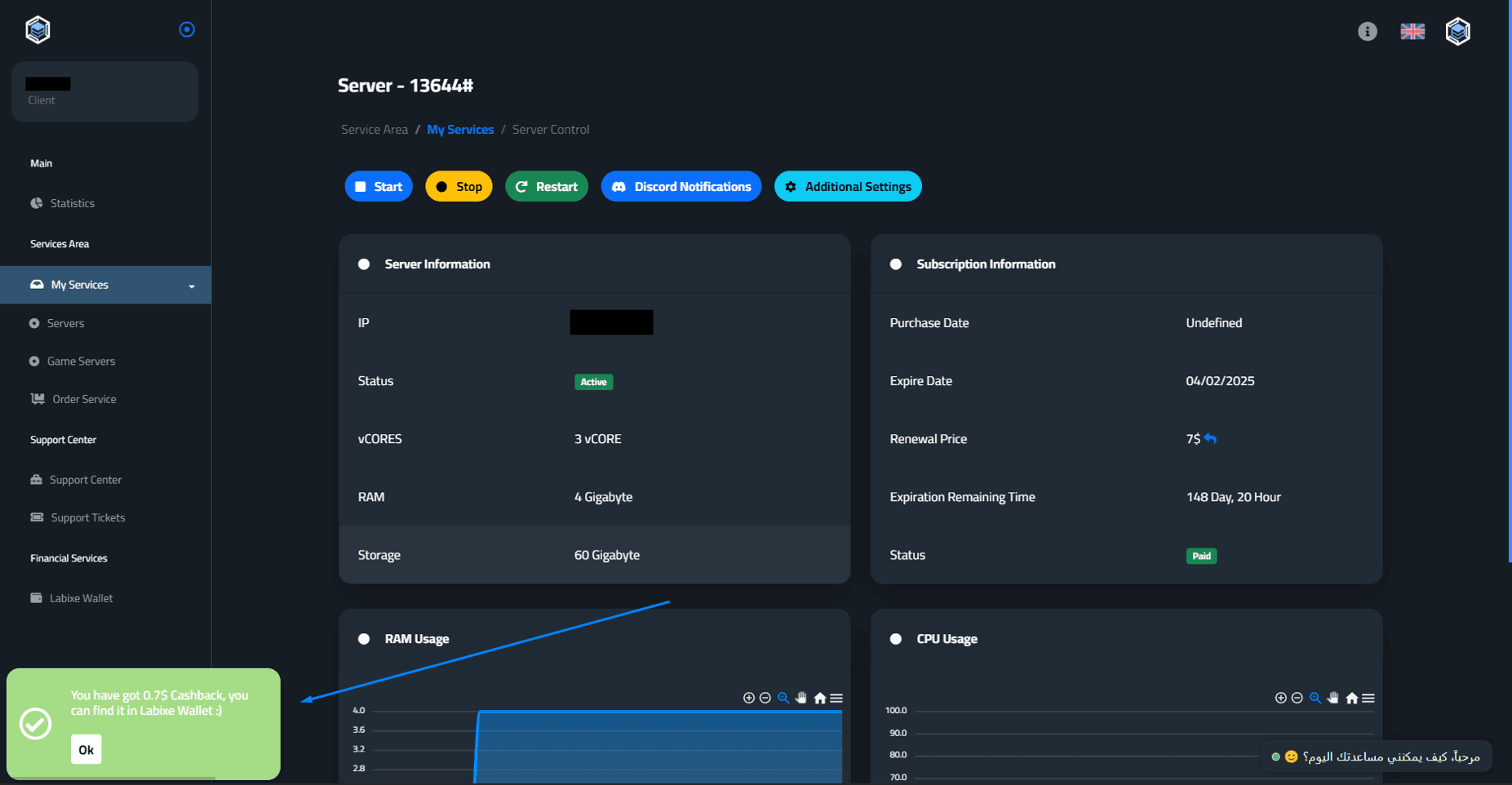
You will see a message that the renewal process has been completed, which includes cashback in your Labixe wallet.
If you encounter any problem, do not hesitate to contact us from here - the Labixe Host team salutes you.