How to Connect to Remote Desktop Protocol (RDP)?
How to connect to your RDP
5 Minutes read

What is RDP?
RDP, or Remote Desktop Protocol, is a technology that allows you to control another computer from afar over the Internet. It's like you're sitting right in front of it, but you're in a completely different place. This technology is typically used to access computers at work or to provide remote technical support.
How to Connect to Remote Desktop Protocol (RDP)?
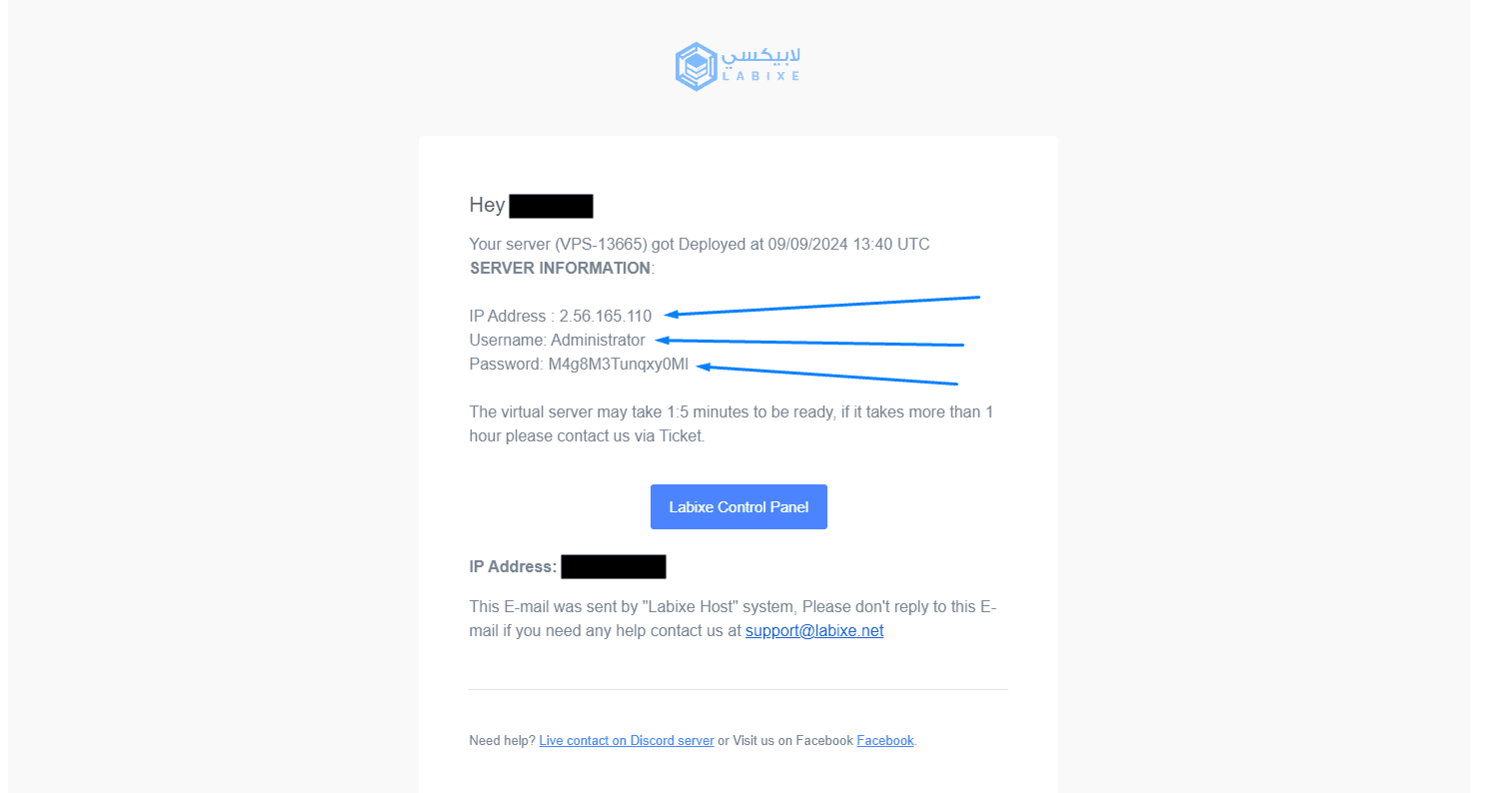
You will receive server information via email, copy this information and save it in a safe place.
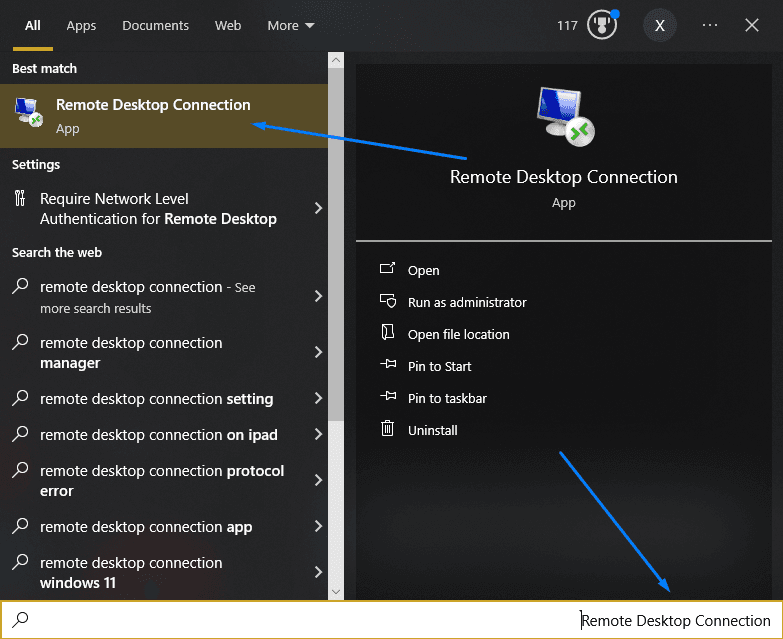
Then go to the search icon and type in “Remote Desktop Connection”.
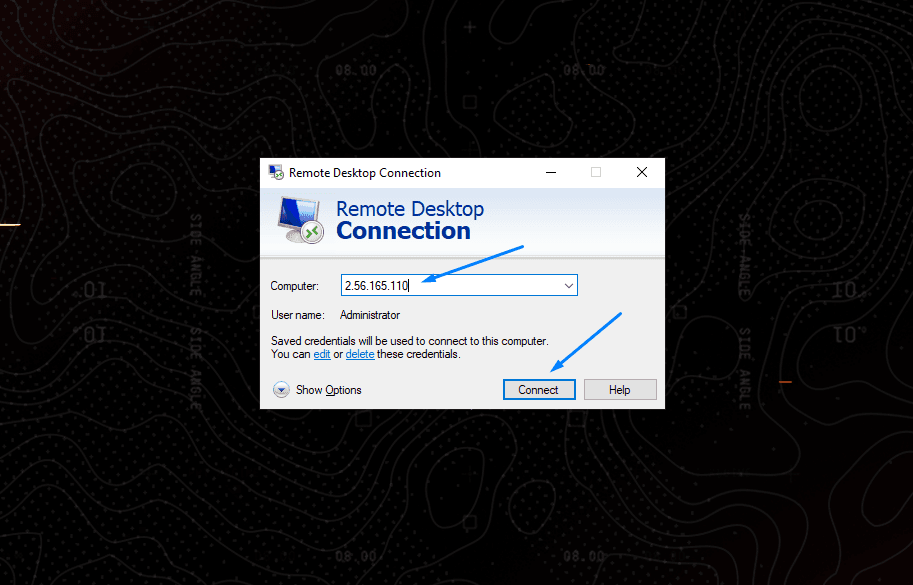
Then paste the IP address you received in the email, then click “Connect”.
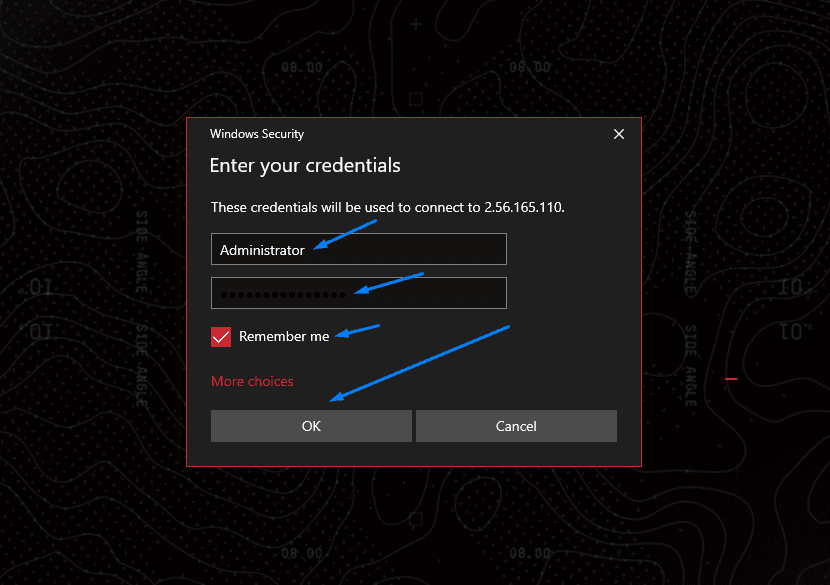
Here you will put the name and password that you also received in your email, then check “Remember me”, and click “OK”.
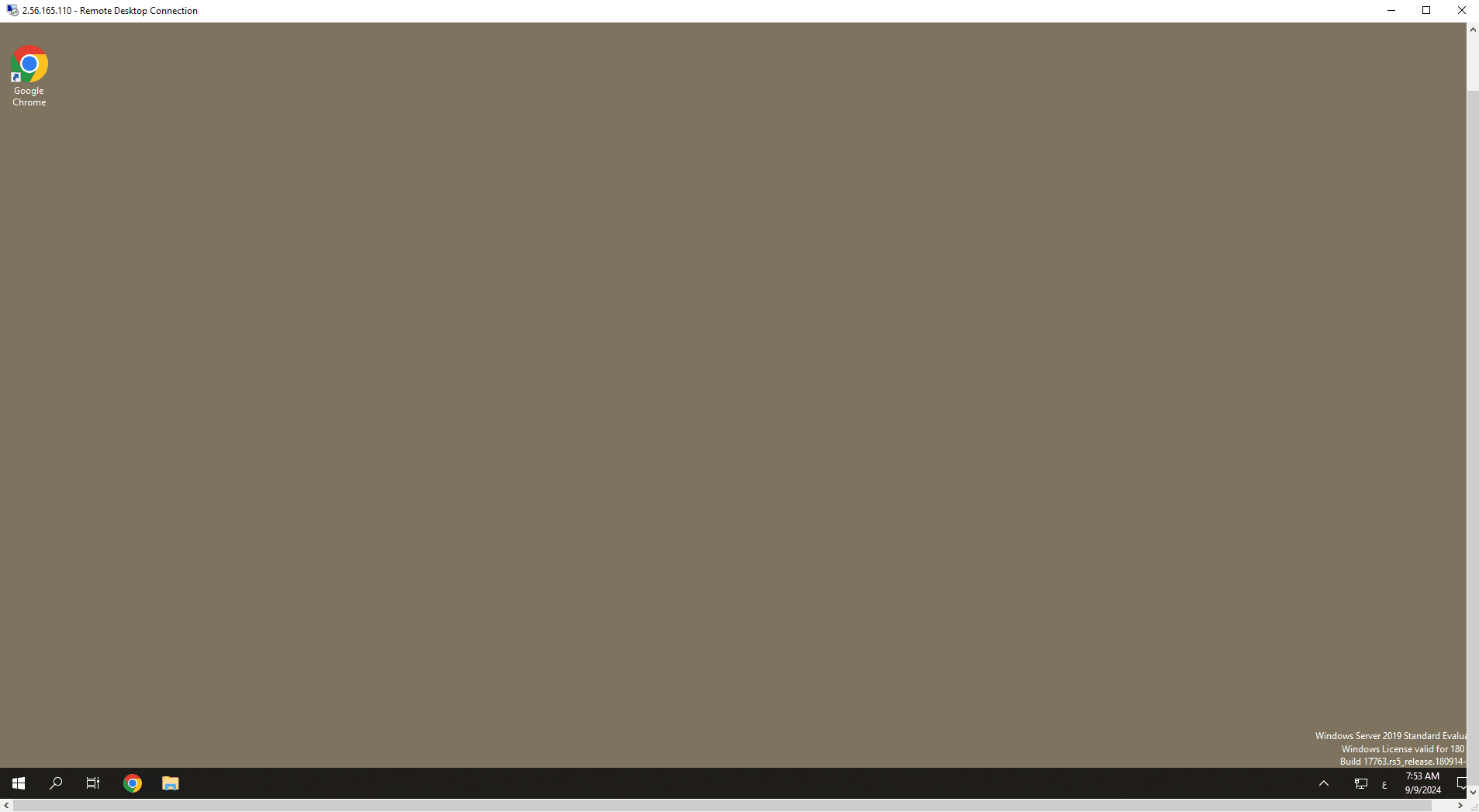
Your connection to the server will start without issue.
If you encounter any problem, do not hesitate to contact us from here - the Labixe Host team salutes you.