Fix lagging while controlling the VPS
5 Minutes read

The issue of slowness (lagging) while controlling the virtual private server (VPS) is considered one of the most common problems in the world of servers today. This is due to some users' lack of knowledge about how servers work and other factors that we will mention in this article. Here, we will explain the important points that help users achieve the best connection and control experience with the server.
The main issue lies in that some users connect to the server using Wi-Fi instead of using a cable, which leads to an unstable internet connection. This results in an unsatisfactory experience of using and controlling the server. Therefore, we will now present some solutions that will provide an ideal experience for all users:
Using a cable instead of Wi-Fi: It is always recommended to use a wired connection (cable) to ensure the stability and speed of the internet connection, which leads to a better server control experience.
Checking the connection speed before starting: It is always preferred to check and test the connection speed using tools like "Speedtest" before starting to control the server to ensure that the connection is suitable and that no issues are affecting its performance.
Configuring server connection settings: Make sure to properly configure the server connection settings, and we will now explain the best settings that users can apply to improve the connection:
Open the "Remote Desktop Connection" program and click on "Show options."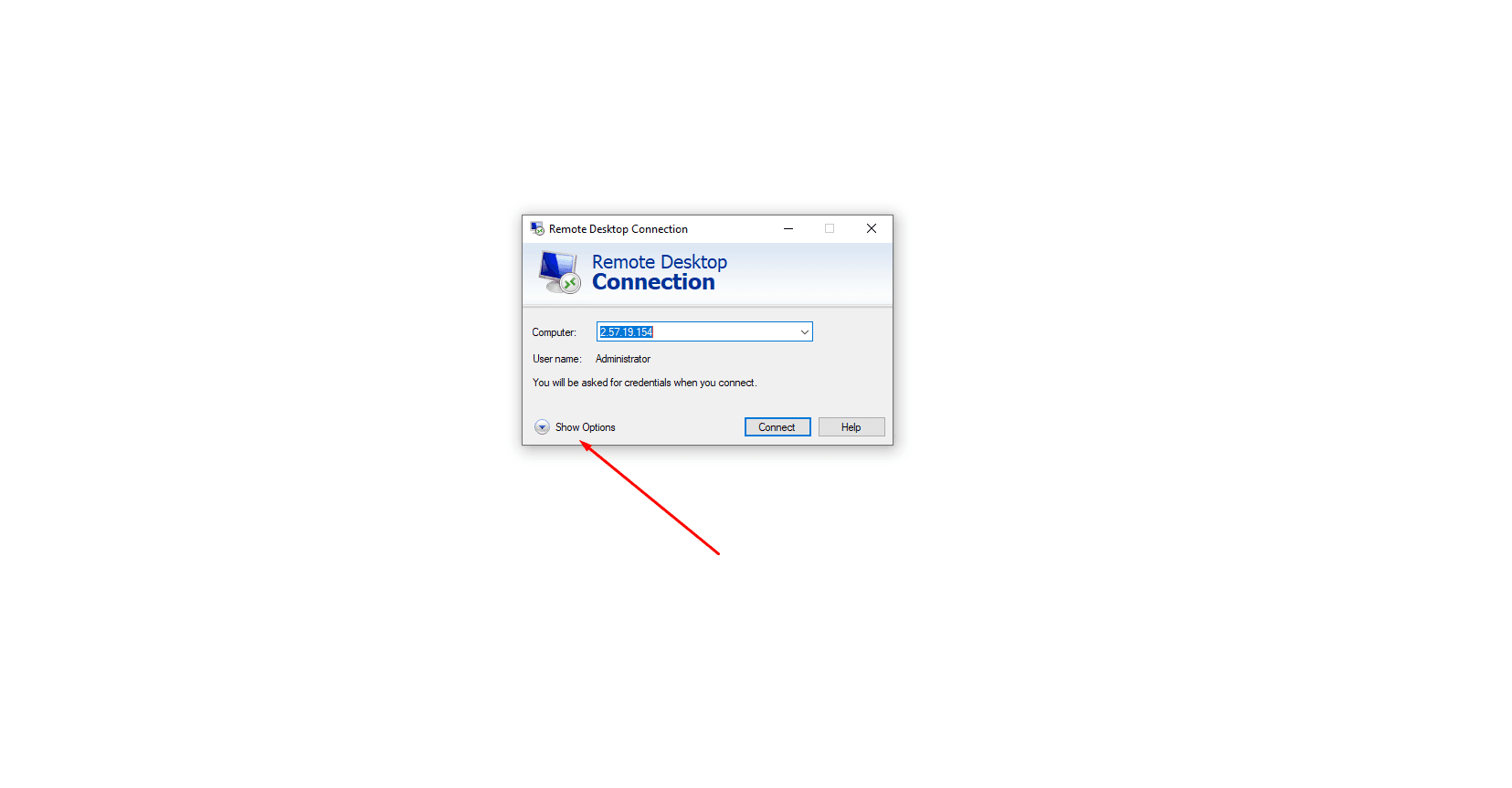
Click on "Experience" and select "LAN (10 Mbps or higher)."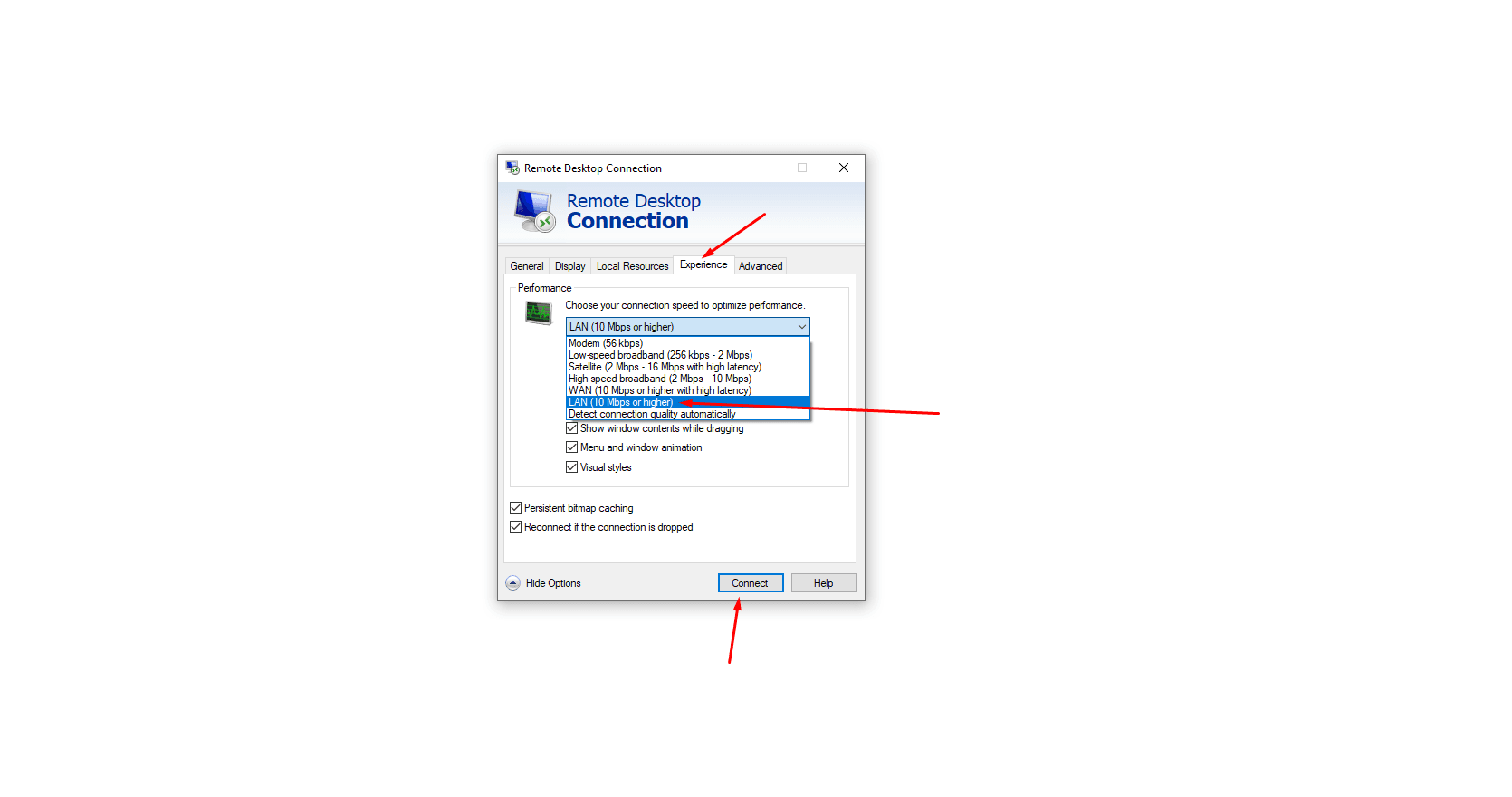
By following these instructions, the user will have a more precise and smoother experience in controlling the server.